

Start with context
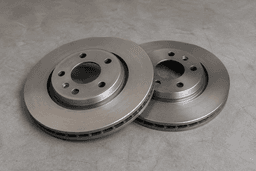
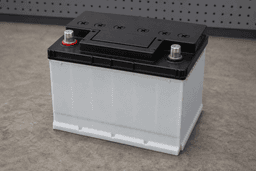
See the requested item, vehicle details, and relevant photos. Delivery details are used to plan fulfilment.
Moti Shop
Receive relevant requests, send a clear quote, and manage accepted orders and earnings in Moti Shop.
One business workspace
See the requested item, vehicle details, and relevant photos. Delivery details are used to plan fulfilment.
Set out price, availability, delivery or service timing, and fulfilment notes.
Manage accepted offers and order updates from the same business app.
Your journey
Moti Shop keeps onboarding, requests, offers, and orders in one app.
Create your Moti Shop profile with your business, location, and service details.
Submit the business documents MOTI requests. Only approved businesses can quote.
Review assigned requests and send price, availability, timing, and fulfilment notes.
Manage the accepted order and keep its progress updated in Moti Shop.
Availability depends on your area, the request, and approved providers. Contact MOTI to check access in your area before making plans.
Business supportAdd your shop name, location, product categories, and a national ID or passport number and photo in Moti Shop. Business certificate and permit uploads are available where relevant. Add a contact phone number before quoting.
Your business and relevant product listings need approval. Go online when ready for matching requests. Paying a subscription does not grant approval, and going online does not guarantee work.
Check the offer and order breakdown for charges that apply to your business. Ask MOTI about current joining or subscription costs before signing up.
Pending earnings and available funds are different. Request a payout from available funds to your configured M-Pesa number, then follow its status in the app. A request is not confirmation of payment.
Moti Shop
iOS: store link available. Android: store link available.
Find your place on MOTI
Choose the path that fits what you do.